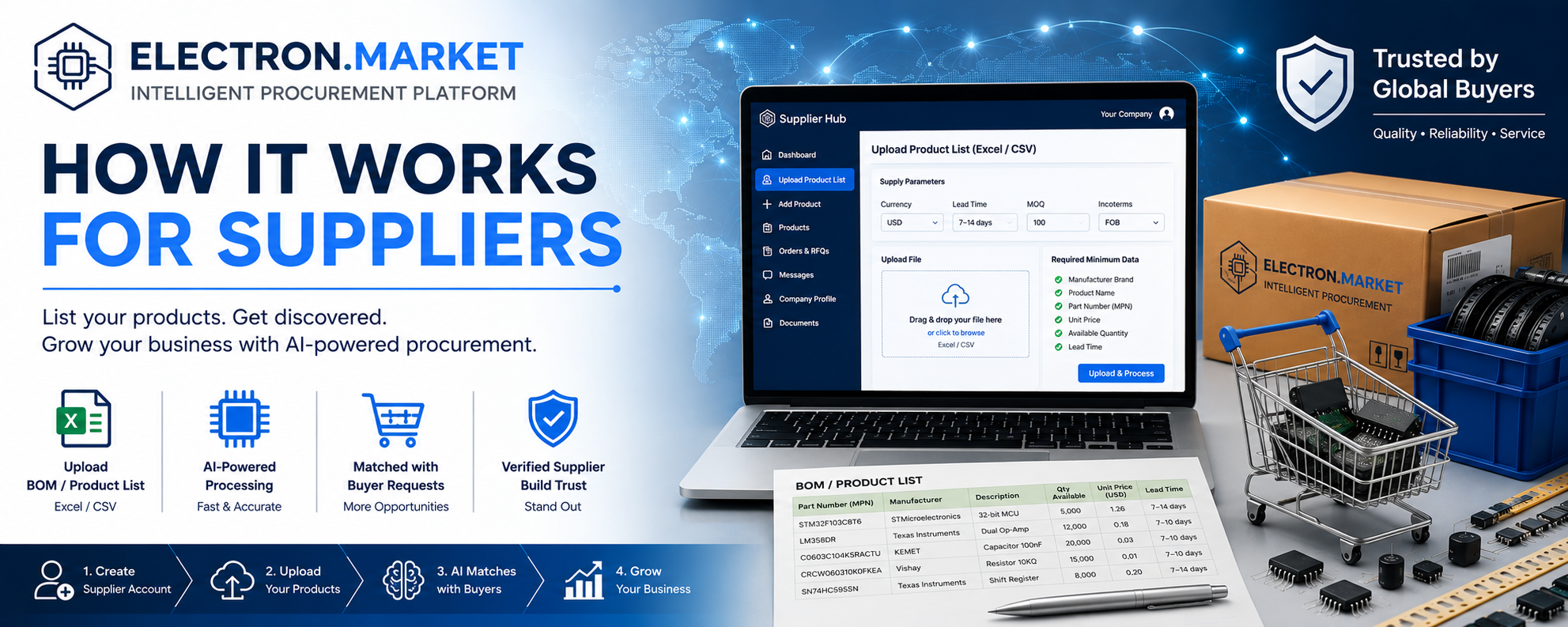
How It Works for Suppliers
Join Electron Market, publish your inventory, verify your business, and make your products available to qualified buyers through an AI-powered global procurement platform.
Start by Creating a Supplier Account
The first step is to register as a supplier and complete your company profile. Once your account is active, you can access the Supplier Hub, where product uploads, company details, documents, and customer communications are managed.
Complete and accurate information helps Electron Market present your business professionally and improves trust during supplier selection.
Uploading Electronic Components
If your company supplies electronic components, the fastest way to publish your inventory is by uploading a product list.
First, enter your company and supply parameters. Then upload or paste your Excel or CSV product list. The intelligent processing system will analyze the file, identify product data, and prepare the inventory for matching with customer searches and BOM requests.
Minimum information required for each position
- Manufacturer brand
- Product name
- Correct Part Number (MPN)
- Unit price
- Available quantity
- Lead time
Publishing Finished Products
If you sell finished electronic products, devices, equipment, or industrial solutions rather than individual components, use the Add Product function inside the Supplier Hub.
Add product details
Enter a clear product name, description, category, and commercial information.
Upload technical content
Add specifications, images, datasheets, certifications, and other relevant documents.
Define supply conditions
Specify price, availability, delivery terms, lead time, and warranty information where applicable.
Detailed product information is shown to buyers first. High-quality photos, complete specifications, clear pricing, and transparent supply terms increase visibility and improve buyer confidence.
Communication with Customers
Communication is handled through the authorized business email address specified in your supplier account. This address is used for quotation requests, procurement notifications, order updates, and other important messages related to the Electron Market service.
We recommend using a dedicated corporate email address assigned specifically to employees authorized to work with the platform.
Company Verification and Trust
To increase buyer confidence, suppliers are encouraged to provide detailed company information, including registration documents, business history, licenses, certifications, office or warehouse information, and other supporting materials.
Click your profile logo in the upper-right corner to open the Supplier Information page. There you can update your company profile and upload verification documents securely.
A complete supplier profile makes your company more credible and can improve your chances of receiving qualified procurement requests.
Let Artificial Intelligence Work for Your Business
Once your products are uploaded, Electron Market can match your inventory with customer searches, BOM files, and procurement projects. The more complete and accurate your data is, the more effectively the platform can present your products to relevant buyers.
Electron Market helps suppliers reach new customers, simplify product publishing, automate matching, and participate in a modern global procurement ecosystem.